

how to clean a cricut sticky mat

how to clean a cricut sticky mat
One of the essential tools for any crafting project is a Cricut cutting mat. The mat offers superior traction including when cutting vinyl, cardstock, fabric or specialty materials that helps everything stay safely in place while cutting. With time, however, lint, dust, paper fibers and glue can accrue on the surface, reducing the stickiness of the mat.
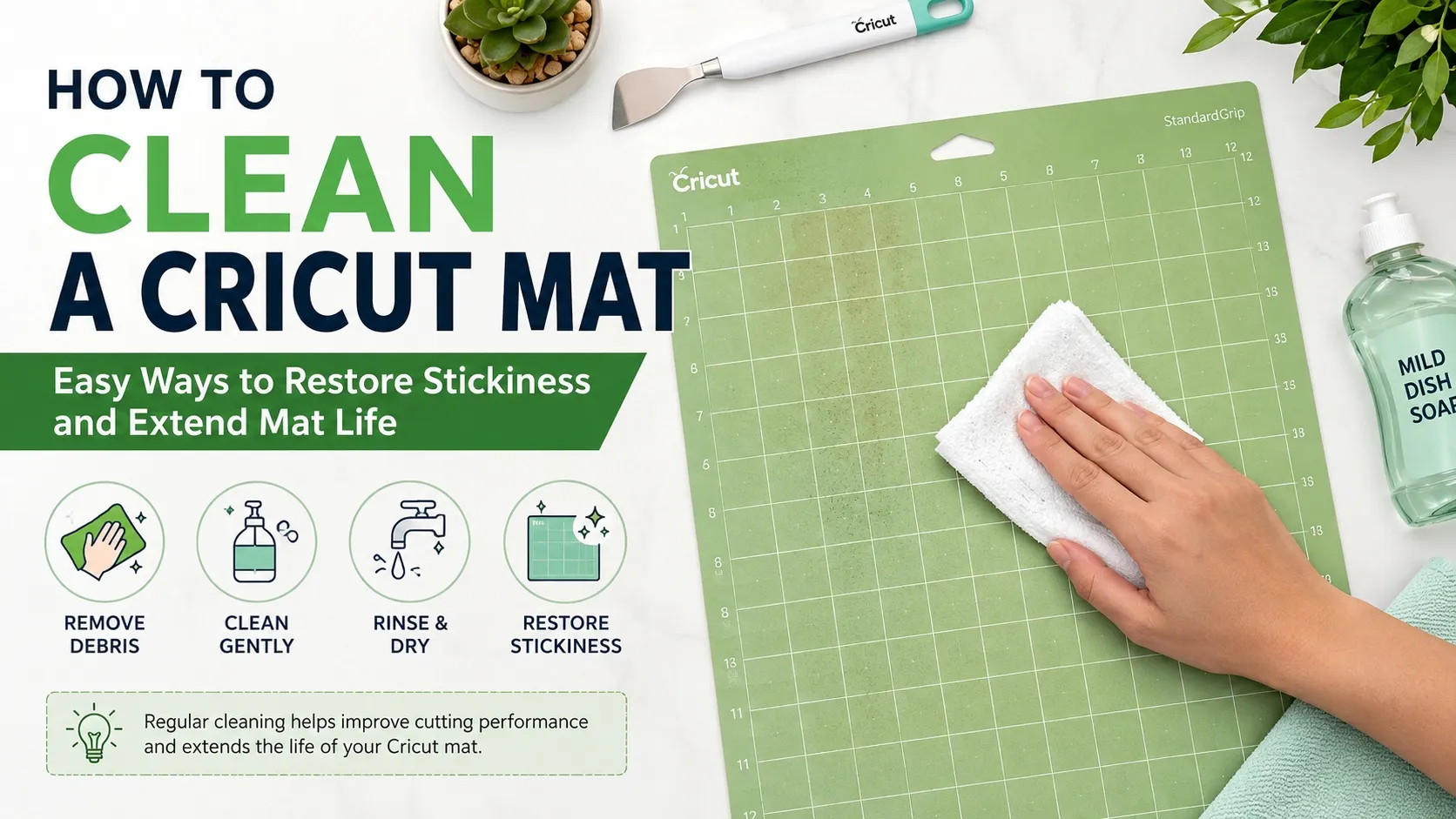
Luckily, in some cases, you don't need to replace your Cricut mat. However, a lot of it can be regained if cleaned and maintained properly to get additional life out of its use. In this guide, you will learn how to clean your Cricut mat safely, the best cleaning techniques for each type of mat and how to ensure your mat keeps working its hardest.
Why Cleaning Your Cricut Mat Matters
On the mat, there are small particle bits left over after each project. Over time the adhesive is encased by paper fibers, vinyl scraps, glitter, pet hair and dust. Over time materials can shift during cutting, causing inaccuracy in cuts, material waste, and design damage.
There are a number of benefits to regular cleaning:
- Restores adhesive performance
- Improves cutting accuracy
- Reduces material waste
- Extends the life of your mat
- Saves money on replacement mats
A well-maintained mat can often last several times longer than a neglected one.
Understanding Different Cricut Mat Types
Before cleaning your mat, it's important to know which type you own.
LightGrip Mat (Blue)
Designed for lightweight materials such as:
- Printer paper
- Lightweight cardstock
- Vellum
- Thin vinyl
StandardGrip Mat (Green)
Suitable for:
- Medium-weight cardstock
- Iron-on vinyl (HTV)
- Permanent vinyl
- Patterned paper
StrongGrip Mat (Purple)
Best for heavier materials such as:
- Glitter cardstock
- Leather
- Chipboard
- Craft foam
FabricGrip Mat (Pink)
Specifically designed for fabric projects and features a specialized adhesive surface.
Different mats require slightly different cleaning approaches, especially the FabricGrip version.
Method 1: Quick Cleaning with Baby Wipes
If your mat only has a light layer of dust or paper fibers, baby wipes provide a simple solution.
What You'll Need
- Alcohol-free baby wipes
- Clean workspace
Steps
- Remove any large scraps by hand or with a scraper.
- Gently wipe the entire mat using circular motions.
- Focus on areas with visible debris.
- Allow the mat to air dry completely.
Benefits
- Fast and convenient
- No rinsing required
- Ideal for routine maintenance
Important Tip
Avoid wipes containing alcohol, oils, or lotions. These ingredients can weaken the adhesive layer and shorten the life of the mat.
Method 2: Deep Cleaning with Dish Soap and Warm Water
For heavily used mats, a deeper cleaning may be necessary.
Supplies Needed
- Mild dish soap
- Warm water
- Soft sponge or microfiber cloth
Cleaning Process
- Rinse the mat under warm running water.
- Apply a small amount of dish soap.
- Gently scrub the surface using a soft sponge.
- Remove lint, dust, and residue without applying excessive pressure.
- Rinse thoroughly.
- Place the mat on a flat surface and allow it to air dry completely.
As the mat dries, much of the stickiness will naturally return.
Avoid These Mistakes
- Using abrasive brushes
- Scrubbing aggressively
- Using harsh chemical cleaners
- Drying with a towel that may leave lint behind
Gentle cleaning preserves the adhesive coating and prevents premature wear.
Method 3: Cleaning a FabricGrip Mat
FabricGrip mats require special care because their adhesive formula differs from other Cricut mats.
Recommended Tools
- Tweezers
- Transfer tape
- Lint roller
Cleaning Steps
- Use tweezers to remove loose threads and fabric fibers.
- Lightly press transfer tape onto the mat surface.
- Lift away remaining lint and debris.
- Repeat as necessary until the surface appears clean.
What Not to Do
Avoid soaking FabricGrip mats in water or scrubbing them with soap. Excess moisture can damage the specialized adhesive designed for fabric projects.
Using a Scraper Tool for Everyday Maintenance
One of the easiest ways to maintain a Cricut mat is to clean it after every project.
A scraper tool helps remove:
- Vinyl scraps
- Paper remnants
- Glitter particles
- Adhesive buildup
If you don't own a Cricut scraper, an old plastic gift card or credit card can work as an alternative.
Regular scraping prevents debris from becoming embedded in the adhesive layer and reduces the need for deep cleaning.
Can You Make a Cricut Mat Sticky Again?
A general question many crafters have is if it is possible for a Cricut mat to be sticky after cleaning.
In most instances, the answer is “yes.”
In many cases, dirt or debris is just obscuring the glue that needs to be adhered. The original tackiness are restored as the mat dries.
However, if:
- The mat has deep cuts
- The adhesive has worn away
- Materials continue sliding after cleaning
it may be time for a replacement.
A few experienced crafters use repositionable glues to rejuvenate worn-down old mats, but doing so should be used with caution; too much adhesive used may impact cutting and could also breach manufacturer recommendations.
Tips to Extend the Life of Your Cricut Mat
Proper maintenance is just as important as cleaning.
Replace the Protective Cover
Always place the clear protective sheet back onto the mat after use. This prevents dust and pet hair from settling on the adhesive.
Use the Correct Mat for Each Material
Using heavy materials on a LightGrip mat can wear down the adhesive faster.
Match materials to the appropriate mat strength whenever possible.
Store Mats Flat
Avoid bending or folding your mats. Store them on a flat surface to prevent warping.
Keep Hands Away from the Adhesive
Natural oils from your fingers can reduce stickiness over time.
Clean Regularly
After each fix has been done it is a lot simpler to make a very light scrubbing which does not attract the attention of the kids that getting rid of all the junk they have produced over the last few projects.
Signs It's Time to Replace Your Mat
Even with excellent care, no Cricut mat lasts forever.
Consider replacing your mat if:
- Materials consistently slide during cutting
- Deep grooves appear on the surface
- The adhesive no longer recovers after cleaning
- The mat becomes warped or damaged
When using the Cricut frequently, it may be useful to keep multiple mats on hand so they can be quickly swapped out for an optimum production schedule and to get the most life out of your cuts.
Final Thoughts
Cleaning a Cricut mat is a straightforward technique that can help save some cash and enhance crafting outcomes. Keep cutting performance at peak levels with regular care, whether you're using baby wipes to make quick changes, dish soap to clean the dishes, or special techniques for FabricGrip mats.
Use a clean mat to achieve greater stability of material, create more precise cuts and enjoy fewer frustrations whilst working. From this point you can continue to enjoy cleaning practices and save in maintenance to ensure that your Cricut mats work at their optimal capacity for many projects in the future.
NEWS
GET SERVICE
With quality parts to meet every budget and friendly staff trained to make your visit informative and hassle free.
