
Ionizing Air Blower for Static Control: Selection Factors

Ionizing Air Blower for Static Control: Selection Factors
An ionizing air blower neutralizes static charge on surfaces that cannot be grounded by directing balanced positive and negative ions across the affected area. It is the practical answer when insulative materials, plastic housings, films, or isolated conductors have no conductive path to earth. Within the broader category of ESD equipment, ionizing blowers complement, rather than replace, wrist straps, grounding cords, and ESD mats as part of a complete static-control program.
This guide covers how ionizing air blowers work, why grounding is not always sufficient, which specifications matter when comparing models, and what supplier documentation to request.

What Is an Ionizing Air Blower and How Does It Work?
An ionizing air blower generates a stream of positive and negative ions and uses a fan to distribute them across a work area. Inside the blower, emitter points create ions through a high-voltage discharge. The fan moves those ions toward the target surface, where they are attracted to opposite-polarity charges already sitting on that surface. A positively charged surface attracts negative ions; a negatively charged surface attracts positive ions. When the ion concentration matches the surface charge, the net charge is neutralized.
Because the ions travel through air, an ionizing blower can neutralize surfaces that have no physical connection to ground — insulators, plastic films, moving webs, and isolated metal parts alike.
Why Grounding Is Not Enough: Charge on Surfaces You Cannot Ground
Grounding works by providing a low-resistance path for charge to flow to earth. That only works when the charged object is conductive and can actually be connected to ground. Many surfaces in industrial and cleanroom settings do not meet that condition:
- Plastic housings and insulative packaging
- Polymer films and webs
- Glass and ceramic components
- Isolated conductors that are not connected to a ground path
- Moving parts or conveyors that cannot carry a grounding wire
Charge accumulates on these surfaces and remains there until something changes — a person reaches in, a tool comes close, or a component makes contact. At that moment, the stored charge can discharge directly into a sensitive electronic device.
Ionization handles this differently. Instead of providing a path to ground, an ionizing blower supplies both polarities of ions to the air. Those ions neutralize the surface charge where it sits. That is why grounding and ionization are complementary: grounding removes charge from objects that can be grounded, while an ionizer neutralizes charge on objects that cannot.
Ionizing Air Blower vs Other Static-Control Tools
Selecting the right static-control method depends on what is charged and whether the charged object can be connected to ground. The table below compares the standard options.
| Static-control tool | What it controls | What it cannot control | Typical best use |
|---|---|---|---|
| Grounding | Conductive objects connected to earth | Insulators, films, and isolated conductors | Fixed workstations and equipment frames |
| esd wrist strap and grounding cord supplier | Static charge on the operator's body | Charge on components, films, or insulated tools | Manual assembly and handling stations |
| Grounded ESD mat | Charge on conductive or dissipative items placed on the mat | Charge in the air or on adjacent insulators | Workbench surfaces and floor entry points |
| Ionizing bar | Charge on surfaces passing within reach of a fixed bar | Large-area coverage without a fixed mounting point | Inline processes, web handling, slitting, and winding |
| Ionizing air gun | Charge on one targeted spot, using compressed air | Continuous protection across a large area | Spot neutralization before inspection or assembly |
| Ionizing air blower | Charge across a defined work area where grounding is impossible | Operator body charge and work-surface grounding | Workstations, inspection, assembly, plastic parts, and packaging lines |
These tools are not interchangeable. An ionizing blower does not replace an ESD wrist strap: the operator's body still needs a grounded connection when handling sensitive components. Nor does an ionizer replace a grounded work-surface mat. An anti-static sticky mat, such as Nabai's anti-static sticky mat, serves a different function: it is a floor-level product that captures foot-borne contamination while providing anti-static properties for personnel crossing it.
When an Ionizing Blower Is the Best Choice
An ionizing blower is the best choice when you need continuous neutralization across a defined work area and the target surfaces cannot be grounded. Typical situations include:
- Workstations where operators handle insulative plastic trays, films, or components on non-conductive surfaces
- Inspection and testing stations where isolated conductors or polymer parts accumulate charge between process steps
- Assembly lines where moving parts, conveyors, or packaging webs pass through a zone before a static-sensitive operation
- Load and unload positions where grounding pads cannot reach the charged object
Types of Ionizing Air Blowers and Typical Placement
Ionizing air blowers are available in several arrangements, each suited to a different work area.
Desktop and workstation blowers. Compact units that sit on a bench or mount to a frame, directing ions across a localized zone. These are common at PCB inspection stations, soldering benches, and small assembly positions.
Overhead blowers. Mounted above a work area to cover a larger footprint. Overhead units suit assembly lines, test stations, and packing areas where operators work across a wide surface.
Extended-range and wide-area blowers. Higher airflow and more powerful fans than desktop units, sized for large work cells, conveyor zones, or handling areas where parts remain charged for long periods.
In-tool and point-of-use ionizers. Compact units integrated into equipment, inspection tools, or transfer systems to neutralize charge in a confined space. These devices function like blowers but fit inside a machine envelope.
Placement matters as much as the product. The blower must direct airflow over the surface that is accumulating charge, with the distance matched to the fan's reach. Most manufacturers publish coverage and discharge-time data for defined distances, but real results depend on airflow, humidity, and obstructions in the work area.
Key Specifications: How to Compare Ionizing Blowers
A specification table on a datasheet is only useful if you understand what each value means and how it was measured. These are the terms to compare across models.
Ion balance. The residual voltage left on a surface after the ionizer has neutralized the original charge. Ion balance, measured in volts, shows whether the blower is producing equal amounts of positive and negative ions. A large positive or negative offset means the blower itself is depositing a net charge on your product.
Discharge time (decay time). The time, usually in seconds, required for the blower to reduce a surface charge from a defined starting voltage to a defined ending voltage. Discharge time depends on the distance between the blower and the target, the airflow, and the test method. Compare discharge times only when the test conditions are the same.
Coverage area. The region over which the blower can maintain acceptable neutralization at a stated distance and airflow setting. Published coverage assumes a clear path between the blower and the surface. Tooling, guards, and angled mounting can reduce the effective area.
Airflow. The volume of air moved by the fan, usually given in cubic feet per minute (CFM) or cubic meters per minute. Higher airflow extends reach but can also disturb lightweight parts or create air turbulence in a cleanroom.
Emitter points. The conductive tips where ionization occurs. Emitters collect contamination from the air — dust, flux, silicone, and other process residues — which reduces ion output and can shift ion balance. Cleaning intervals depend on the environment and on the manufacturer's instruction.
How to Select an Ionizing Air Blower for Your Application
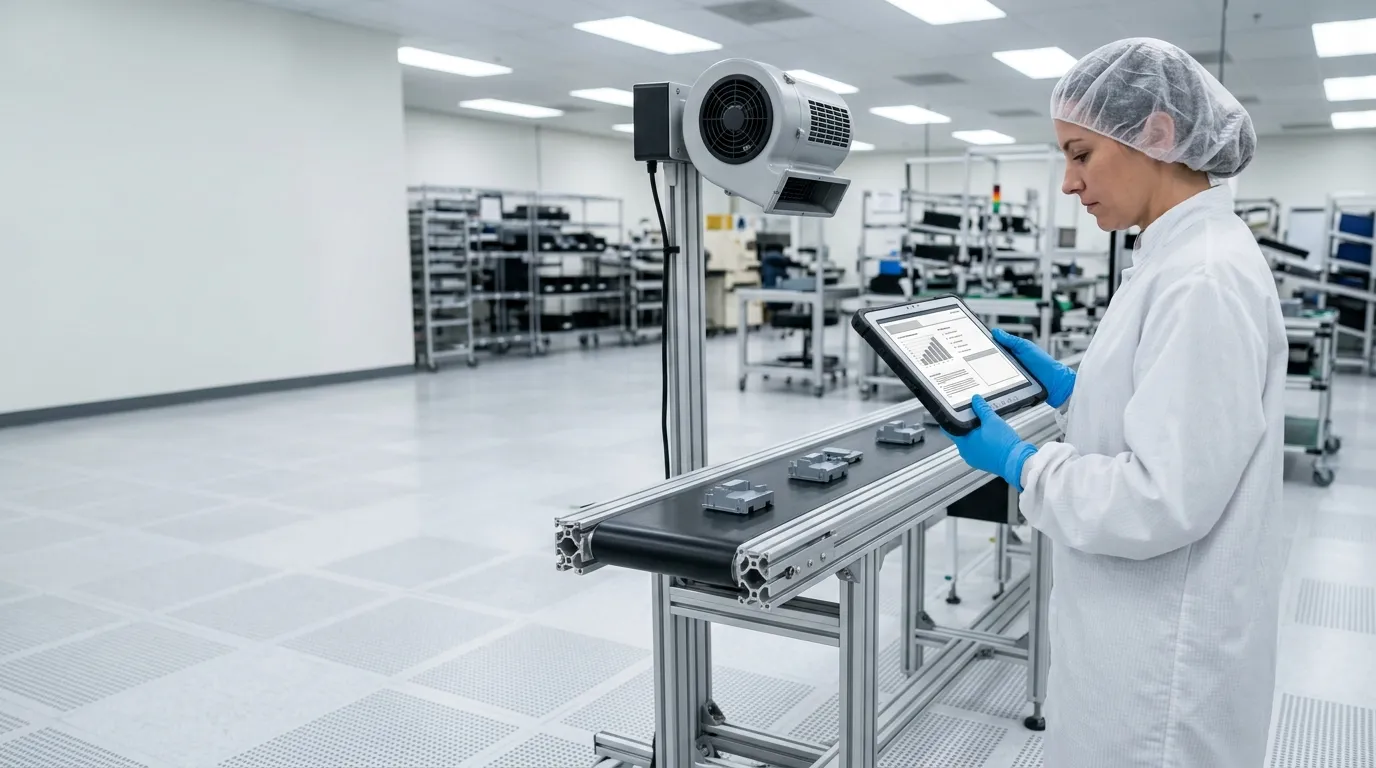
The right blower depends on the application and the process environment.
| Application | Typical blower family | Key requirement |
|---|---|---|
| PCB assembly and inspection | Desktop or point-of-use | Short distance to the board, stable ion balance |
| Semiconductor and display handling | Overhead or in-tool | Cleanroom compatibility, documented maintenance |
| Plastic parts, films, and packaging | Wide-area or extended-range | High airflow to cover large surfaces |
| Medical-device manufacturing | Desktop or overhead | Process validation and material documentation |
| Lens and optical assembly | Point-of-use or desktop | Adjustable airflow to avoid disturbing small parts |
For semiconductor and cleanroom use, verify that the blower is appropriate for the cleanroom environment. Emitter design, fan speed, and materials affect particle generation. Ask the manufacturer directly about cleanroom suitability rather than assuming that all blowers are built to the same standard.
For optical and precision assembly, choose a blower with adjustable airflow. Excessive force can move lightweight components or blow loose particles across the work surface.
Installation, Validation, and Maintenance

Installation and validation determine whether an ionizing blower actually protects the process.
Position the blower to direct airflow over the charged surface. The distance should match the manufacturer's coverage data. If it is too far, the ion concentration drops and discharge time becomes too long. If it is too close, airflow may disturb parts or leave surrounding surfaces untreated.
Verify neutralization at the actual work position. Use a charged-plate monitor or the manufacturer's specified test method to measure discharge time and ion balance where the parts will sit, not directly at the blower outlet. Positions at the edge of the coverage area can perform very differently from the center.
Check emitter condition regularly. Contaminated emitter points reduce ion output and shift ion balance. Follow the manufacturer's cleaning schedule and inspect emitters more often in soldering, dust-generating, or coating environments.
Monitor filters and fans. Airflow is the delivery mechanism for ions. A clogged filter or a slowing fan reduces coverage and increases discharge time. Build these checks into the same preventive-maintenance routine as emitter cleaning.
Keep records. Log discharge time, ion balance, and cleaning dates. This creates the documentation trail needed to confirm that protective measures continue to work and to identify when a blower begins to drift out of specification.
Cleaning processes can themselves generate static charge. For practical guidance on avoiding charge generation while cleaning surfaces and equipment, see how to prevent static damage during cleaning.
What Documentation Should You Request From a Supplier?
An ionizing blower is only as trustworthy as the documentation behind it. A supplier's website may state performance claims, but the datasheet and test report tell you what the product actually delivers.
Technical datasheet (TDS). The product-level document listing rated specifications: discharge time, ion balance, airflow, coverage, electrical input, dimensions, and environmental limits. Confirm that the datasheet states the test conditions — starting voltage, ending voltage, distance, and airflow — so figures can be compared consistently between models.
Test report. A record of measured results for a specific unit or batch. This is not the same as the datasheet. A batch test report confirms that an actual unit reached the claimed values rather than describing ideal typical performance.
Operating and maintenance manual. Needed for correct installation, cleaning, emitter replacement, and field verification.
Cleanroom-compatibility documentation. If the blower will be used in a cleanroom, request written confirmation of suitability, including materials, particle expectations, and maintenance requirements. Do not rely on general marketing language.
Verification instructions. A description of how to check ion balance and discharge time in the field, and how often the checks should be performed.
If a supplier cannot provide these documents, or answers only with marketing statements, treat the product claim as unverified.
Limitations and Safety Boundaries
Ionizing air blowers solve a real problem, but they have boundaries.
- An ionizing blower does not replace personnel grounding. Operators handling static-sensitive components should still wear a grounded wrist strap.
- An ionizing blower does not replace work-surface grounding. Conductive and dissipative surfaces should still be grounded through an ESD mat or a grounded workstation.
- Ionization is one layer of an ESD-control program. It should be selected, validated, and documented alongside grounding, bonding, and personnel controls.
- Performance depends on distance, airflow, humidity, and maintenance. A blower that is not cleaned or is positioned incorrectly will not deliver its rated performance.
- A blower moves air. In cleanrooms and particle-sensitive processes, select the blower for that environment and maintain it accordingly.
Use the same documentation-and-verification logic when selecting any static-control product. For an overview of complementary solutions, explore Nabai's static control solutions.
NEWS
GET SERVICE
With quality parts to meet every budget and friendly staff trained to make your visit informative and hassle free.